Sculpting a Rabbit Out of 19 Spheres and Capsules
Since I decided to build the rabbit purely in code with no modeling tool, all I had to work with were primitives like spheres and capsules.
In components/game/Rabbit.tsx, nineteen of them stack up into one rabbit — fifteen spheres and four capsules.
Seven duplicate meshes for the outline sit on top of that, plus whichever accessories are equipped.
There was a reason for going this way.
An external model means an asset to download, and changing a color or a proportion means going back into the tool.
Building it in code adds only a few numbers to the bundle, and lets me change the fur color or the size right there at runtime.
Being able to add eleven fur colors and accessory slots later came out of that choice.
What the body is made of
| Part | Geometry | Count |
|---|---|---|
| Body | sphere r=0.34 | 1 |
| Head | sphere r=0.3 | 1 |
| Outer ear | capsule r=0.105, l=0.34 | 2 |
| Inner ear (pink) | capsule | 2 |
| Eyes | sphere r=0.045 | 2 |
| Eye highlights | sphere r=0.016 | 2 |
| Nose | sphere r=0.03 | 1 |
| Mouth | sphere r=0.025 | 1 |
| Blush | sphere r=0.05 | 2 |
| Front paws | sphere r=0.07 | 2 |
| Hind feet | sphere r=0.12 | 2 |
| Tail | sphere r=0.15 | 1 |
| Total | 19 |
I started with proportions: a 2-head-tall chibi build with the head as big as the body.
In actual numbers the body is a sphere of radius 0.34 and the head is 0.3, so the two are nearly the same size.
A realistic rabbit has a small head, but cuteness comes from a big one.
The ears are two capsules, radius 0.105 and length 0.34.
The outside is cream, and inside each one sits a smaller pink capsule for the inner ear.
The eyes are spheres of radius 0.045.
On top of that I added pink blush and eye highlights — those three were almost the entirety of what made it feel "alive." Take them away and it instantly looked like an inanimate object.
The head, ears, and face are all bundled into a single group.
That's what lets the "glance back" motion rotate just the head.
The body stays put while the head turns to peek behind, and that one move did a lot for how alive it reads.
The outline is primitives too.
Put a very slightly larger copy of a part over the original, render only its back faces, and what's left is a rim tracing the silhouette.
You get a comic-book line without any post-processing.
Seven parts get a hull — body, head, both ears, both hind feet, and the tail: the ones that form the outer edge of the silhouette.
Small pieces like the eyes and nose sit on another part's surface, so there is no outline for them to occupy, and they were left out.
Each hull is another draw call, so choosing where to put them is a cost decision as much as an art one.
The day the face disappeared
The problem was that the face once vanished from the screen entirely.
In the code I'd plugged in coordinates for the eyes, nose, and blush, but when it rendered the face was blank.
The cause: the coordinates were buried inside the head sphere.
The head sphere's radius is 0.3, but the distance to the eye center was 0.253, so the eyes were submerged below the sphere's surface and invisible.
{/* Head — radius 0.3 */}
<mesh material={fur}><sphereGeometry args={[0.3, 24, 18]} /></mesh>
{/* Eye — pull z back to -0.25 so it pokes slightly out of the head surface */}
<mesh ref={eyeL} position={[-0.115, 0.07, -0.25]} material={dark}>
  <sphereGeometry args={[0.045, 12, 12]} />
</mesh>
I fell into it three more times
The worse part is that it didn't end there.
It happened again when I added the tail, again when I rebuilt the front paws, and again when I wrapped a scarf around the neck.
Every time it was the same thing: coordinates that looked reasonable, sunk inside the body and invisible.
It's the chronic disease of building from stacked primitives.
Each part is its own volume, so if the spot you're attaching to falls inside a neighboring volume, it just gets swallowed.
There's no surface to speak of, so nothing warns you.
In the end I wrote it down as a rule: the head radius is 0.3 and the face points down -z.
Putting something on the head means going clearly farther than 0.3 from the center; attaching to the face means pulling further along -z.
Every new accessory starts by checking those numbers.
The numbers can be right while the screen is wrong
The numbers looked plausible, so no matter how much I reread the code I couldn't see it.
It only got caught at the screenshot gate — a step where I capture the actual render at every stage and check it with my eyes.
Once I pushed the part coordinates out past the surface so they protruded, the face came back.
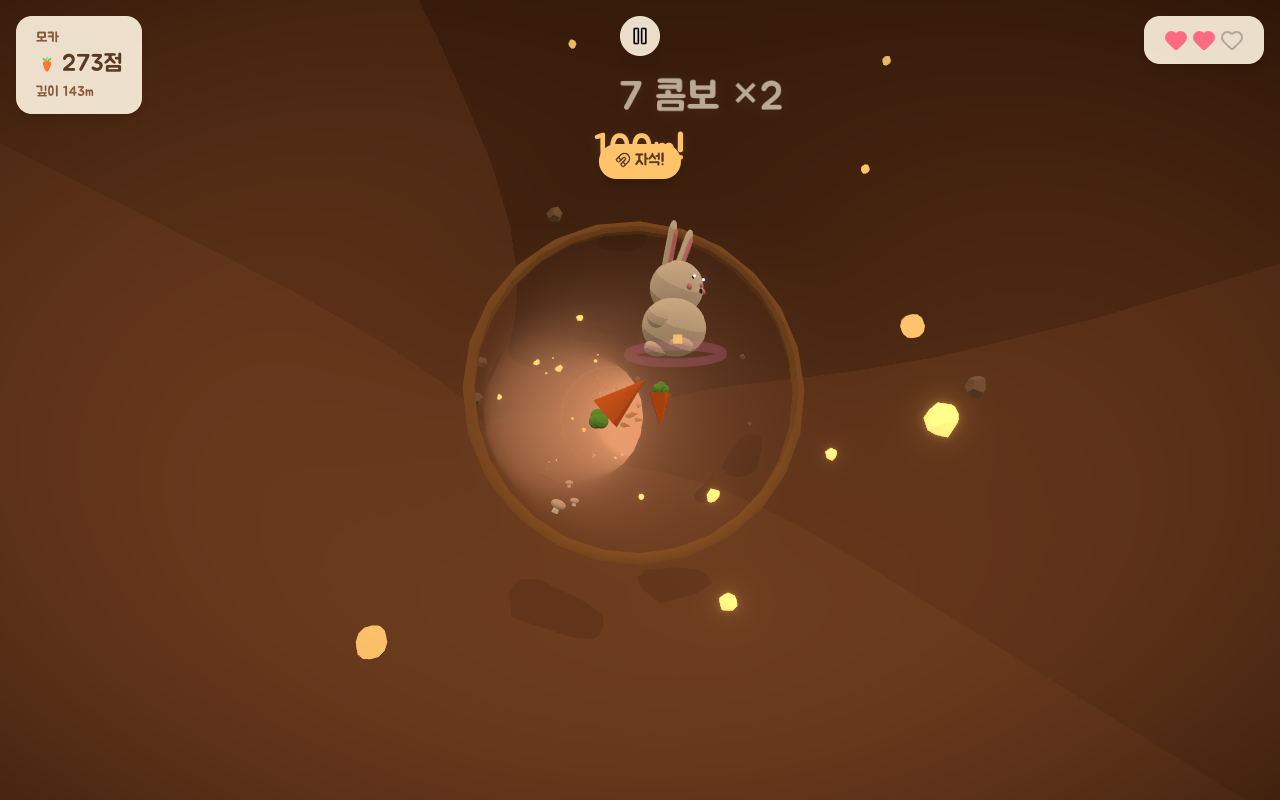
Type checking and tests can't catch this class of bug.
Every value is a valid number and the render finishes without an error.
The only thing that's wrong is whether you can see it, which means a person has to look at the screen.
That's how I ended up in the habit of capturing the start screen every time I add a cosmetic.
What building it in code bought
The inconvenience did pay for itself.
Fur color is a single hex string, so the eleven fur colors in the shop are implemented without a single image.
Slotting decorations onto the head, face, and neck is just one more mesh in the same coordinate system, which made it easy to extend.
Had I gone with a model file, every color variant would have needed its own texture and its own download.
Next time: putting movement onto this body.